Label Cords and Plugs in a Shared Workspace
In shared work environments, unclear cable setups lead to confusion, downtime, and even safety risks. When multiple people rely on the same power sources or equipment, the need to label cords and plugs becomes critical. These tools and strategies help organize cords and outlets so that everyone knows what goes where—and what should never be unplugged.
1. Cable ID Tags and Wraparound Labels
These simple tags attach directly to power cords and chargers. You can write on them or print labels to indicate what the cord powers and who it belongs to. Ideal for co-working spaces and team tech rooms.
2. Color-Coded Cord Sleeves or Clips
Using different colors for different equipment groups makes it easy to trace cords back to their source. Cable sleeves also keep wires bundled together to reduce desk clutter and trip hazards.
3. Correct Switch – Outlet Labels for Shared Power -(Label Cords and Plugs – Priority)
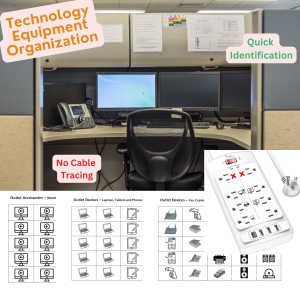
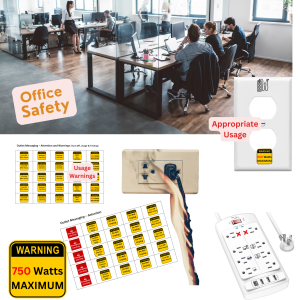
Instead of just labeling the cord, label the outlet itself to clarify what’s plugged in. Correct Switch offers bilingual, icon-based labels that apply directly to wall or power strip outlets—like “Printer,” “Do Not Unplug,” “Speakers,” or “Laptop.” The transparent label option blends well with any workspace.
4. Mountable Power Strip Organizers -(Label Cords and Plugs – Priority)
Mount power strips under desks or on walls with brackets or Velcro to keep them accessible and reduce tangling. Pair with outlet labels so users know what’s connected to each plug.
5. Device-Specific Charging Stations
Centralize power for shared devices like tablets, barcode scanners, or tools. Label each port by device type or user group to streamline access and avoid equipment mix-ups.
6. Home Hints Labels for Tech Storage
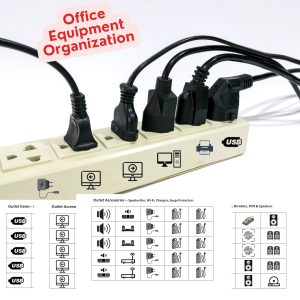
Use Home Hints labels to identify drawers or shelves that store power cords, backup chargers, or device manuals. Clear labeling helps keep the tech area tidy and ensures items return to the right place.
Final Thoughts
Proper cord labeling reduces frustration, prevents mistakes, and keeps shared workspaces running smoothly. With tools like Correct Switch and Home Hints, you can create a system that works for everyone—from tech-savvy employees to occasional visitors.
Related Articles